On this page
The Site Worked. The Domain Setup Didn’t.
When I first put Bousslog online, I thought the domain setup was finished. The site opened normally, I could move between pages, read the posts, and share the link with someone else. For me, that meant the domain part was done.
Later, when I started checking the live site more carefully, I found that a few things were not working the way I wanted. Nothing looked broken, which made the problems easy to miss.
The First Problem Was www
For Bousslog, I wanted one main domain: bousslog.com.
I wanted the sitemap, canonical URLs, metadata, and links to point to the same place.
But when I checked the live site, I noticed that opening bousslog.com could send me to www.bousslog.com.
The website still worked, but that was not the structure I wanted. The rest of the site was treating bousslog.com as the main domain while the routing was sending people to www.
What I wanted was much simpler:
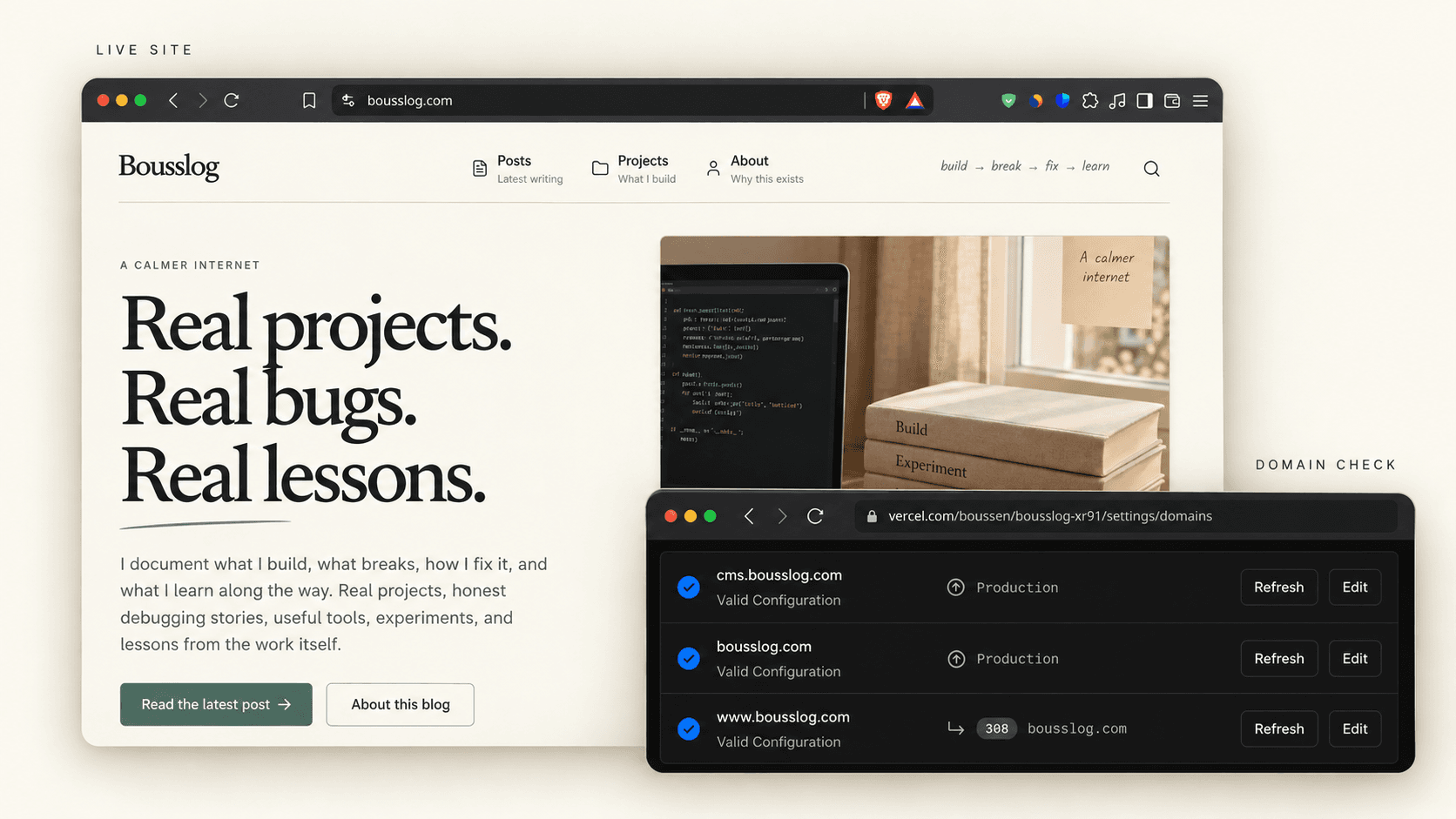
bousslog.com       → main site
www.bousslog.com   → 308 → bousslog.com
So I changed the routing. After that, bousslog.com stayed as the main website and www only redirected back to it.
While checking that setup, I found another thing I wanted to change.
I Wanted the CMS Separate From the Blog
Bousslog uses TinaCMS for writing and publishing posts.
At that time, the admin side was still reachable from the public domain through routes like:
bousslog.com/admin
I didn't really want that.
For me, the blog and the CMS had two different jobs. Someone visiting Bousslog should only need the public website. When I want to write, edit, or publish something, I should use the CMS.
So I separated them:
bousslog.com       → public blog
cms.bousslog.com   → TinaCMS
The admin routes on the public domain also became unavailable:
bousslog.com/admin/*
→ 404
That made more sense to me. The public site had one job, and the CMS had another.
Then I Thought About Google
Moving the CMS to cms.bousslog.com solved the separation problem, but there was still one more thing I wanted to check.
I didn't want Google to index the CMS.
There is nothing useful for someone searching the web inside my authoring interface. The posts I want people to find are already published on bousslog.com.
So the CMS also needed to tell search engines not to index it.
The important part was basically:
X-Robots-Tag: noindex, nofollow, noarchive
After that, the structure became much clearer:
bousslog.com
    public site
    indexable

www.bousslog.com
    308 → bousslog.com

cms.bousslog.com
    TinaCMS
    noindex

bousslog.com/admin/*
    404
ing at it now, it seems simple. But I didn't think about all of this when I first connected the domain.
What made this easy to miss was that nothing looked broken. The site opened normally, the posts worked, and the CMS worked too.
I only found the problems when I started checking things beyond the homepage: where www redirects, which domain is canonical, whether /admin is still public, and whether the CMS can be indexed.
What I Learned From It
Before Bousslog, my idea of setting up a domain was almost this:
buy domain
→ connect it
→ website opens
→ finished
Now I know that seeing the homepage is only the first check.
I also need to know which domain is the main one, where the other versions redirect, what should be public, what should stay separate, and what search engines should be allowed to index.
For Bousslog, the final setup became simple:
Public site → bousslog.com
CMS         → cms.bousslog.com
www         → bousslog.com
/admin      → 404
It looks obvious now, but I only reached that structure after finding the problems one by one.
The site was working. The domain setup wasn't.
And now, when I connect a domain to another project, I don't stop checking just because the homepage opens.